How AI Agents for Slack Workflows Driving Enterprise Results?
Published on: 23 April 2026
Author: Annapurna
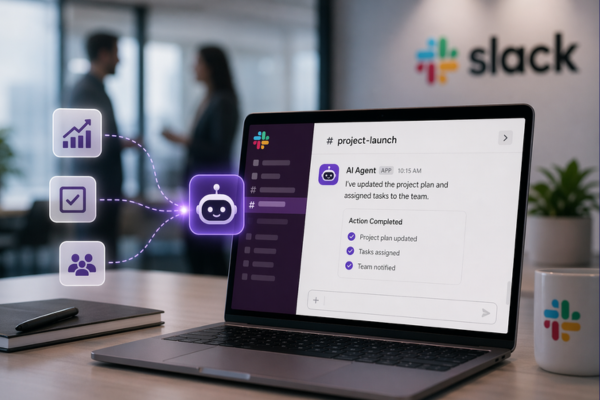
Enterprise collaboration is undergoing a fundamental shift. Platforms like Slack are no longer just communication tools; they’re becoming execution engines. At the center of this transformation are AI agents.
Unlike traditional automation, AI agents don’t just respond, they understand, decide, and act. For enterprises in 2026, this means faster workflows, reduced manual intervention, and significantly improved operational efficiency.
This blog explores how AI agents for Slack workflows are delivering measurable enterprise results, along with practical implementation strategies, real use cases, and risks to consider.
What Are AI Agents vs Slack Bots?
Before diving deeper, it’s critical to distinguish between Slack bots and AI agents.
| Feature | Slack Bots | AI Agents |
|---|---|---|
| Capability | Rule-based | Decision-based |
| Execution | Limited | Autonomous |
| Learning | No | Yes |
Slack bots follow predefined commands: if X happens, do Y. AI agents, on the other hand, leverage machine learning and contextual understanding to make decisions dynamically. For example:
- A bot can notify you of a ticket.
- An AI agent can analyze the ticket, assign it, prioritize it, and automatically follow up.
How AI Agents Work Inside Slack Workflows?
AI agents operate as an intelligent layer within Slack workflows by integrating with enterprise systems like CRM, ticketing platforms, and analytics tools.

Enterprise Challenges Solved (Before vs After)
| Before AI Agents | After AI Agents |
|---|---|
|
|
According to Gartner, enterprises adopting AI-driven workflow automation are expected to reduce operational costs by up to 30% by 2026.
Real Workflow Transformations (Execution Layer)
| IT Operations | Customer Support | Project Management |
|---|---|---|
|
|
|
These are not just automations; they are self-driven workflows.
Tools and Integrations (Practical Angle)
To build AI-powered Slack workflows, enterprises combine:
- Slack Workflow Builder
- AI platforms (OpenAI, custom ML models)
- Integration layers (APIs, middleware)
- Enterprise tools (CRM, ERP, ticketing systems)
For example, combining Slack with Salesforce enables AI agents to:
|
|
|
Step-by-Step Guide to Integrate AI in Slack Workflows
Implementing AI agents inside Slack isn’t just a technical exercise; it’s a strategic transformation. Here’s how enterprises can approach it effectively:

Step 1: Identify High-Impact Use Cases
Start by pinpointing workflows where AI can create immediate and measurable value. Look for processes that are:
- Repetitive and manual (ticket routing, approvals, follow-ups)
- Time-sensitive (incident response, customer queries)
- Data-heavy (CRM updates, reporting, alerts)
Pro Tip: Prioritize use cases where delays directly impact revenue, customer experience, or operational efficiency. For example, automating lead qualification from Salesforce inside Slack can significantly reduce response time.
Step 2: Define Workflow Logic
Once use cases are identified, map the workflow clearly. Break it down into:
- Inputs: What triggers the workflow? (e.g., message, alert, form submission)
- Processing Logic: What decisions need to be made?
- Outputs: What actions should be executed? (notifications, updates, escalations)
Create flow diagrams to visualize:
|
|
|
This step ensures your AI agent operates within a structured and predictable framework.
Step 3: Choose AI Capabilities
Not all workflows require the same level of intelligence. Select AI capabilities based on complexity:
- Natural Language Processing (NLP): For understanding user queries, sentiment, and intent
- Predictive Analytics: For forecasting outcomes (e.g., risk of delay, lead conversion probability)
- Decision Engines: For autonomous task execution
- Rule-based Augmentation: For compliance-heavy or deterministic workflows
Example: A customer support workflow may combine NLP (to understand the query) + predictive scoring (to prioritize urgency).
Step 4: Integrate Systems
AI agents become powerful when they connect multiple systems into a unified workflow. Typical integrations include:
|
|
|
|
Use:
|
|
|
Goal: Ensure real-time data flow so the AI agent can make informed decisions and act instantly within Slack.
Step 5: Build and Test AI Agent
This is where your AI agent comes to life. Key activities:
- Train models using historical enterprise data
- Define prompts, rules, and fallback scenarios
- Simulate real-world scenarios for testing
Testing should cover:
|
|
|
Best Practice: Start with a controlled environment (pilot team or department) before scaling across the enterprise.
Step 6: Deploy and Monitor
Deployment is just the beginning , continuous optimization is where real value is unlocked. Track key metrics such as:
- Workflow completion time
- Reduction in manual effort
- Accuracy of AI decisions
- User engagement and adoption
Implement:
- Feedback loops from users
- Performance dashboards
- Regular model retraining
According to Gartner, continuous monitoring and optimization are critical for sustaining long-term ROI from AI-driven automation.
Risks & Limitations
While powerful, AI agents are not without challenges:
- Data Privacy Risks – Sensitive enterprise data must be protected
- Over-Automation – Excess automation can reduce human oversight
- Model Bias – AI decisions depend on training data quality
- Integration Complexity – Requires technical expertise
A balanced approach ensures maximum ROI without compromising governance.
Conclusion
AI agents are turning Slack into a true execution layer for enterprises, where work doesn’t just get discussed, it gets done.
With the right use cases, integrations, and continuous optimization, businesses can move from manual workflows to autonomous operations, driving faster decisions, higher efficiency, and real, measurable impact.
Ready to transform your Slack into an execution powerhouse?